Read with caution: this page contains strobing videos.
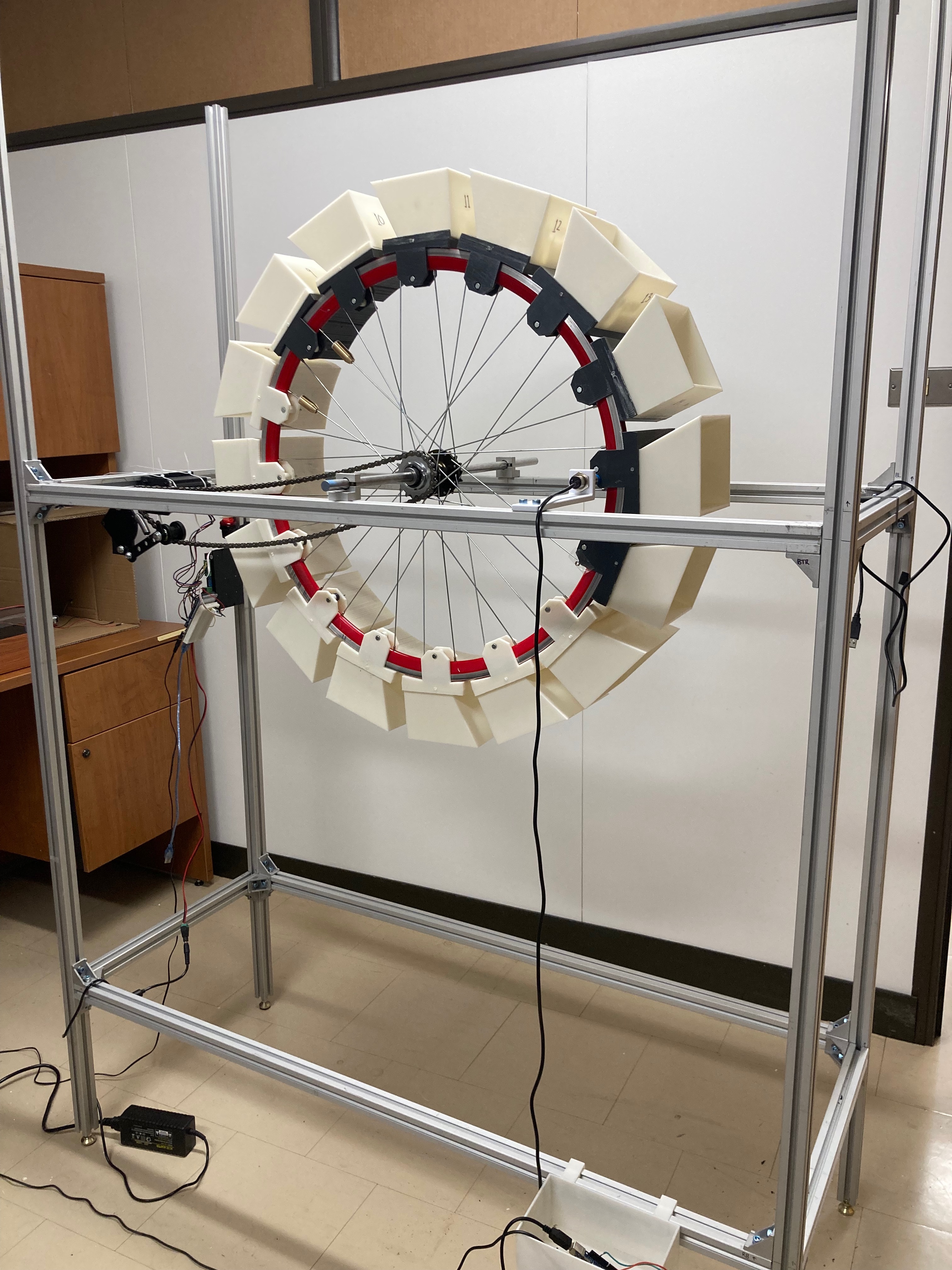
Step inside a dark curtain, pick up a strobe flashlight, and peer into a spinning 3D diorama. You control where the light lands on each revolution — and when you shine it on specific objects, sound plays: a pancake sizzling, a character yelling as she falls, cars honking on a distant highway. The same visuals can tell different stories depending on where you look and which audio clips are loaded.
The Audiotrope evolved from my UIST 2022 demo (viewer-controlled strobe) into a light-reactive 3D zoetrope that tracks which frame you're seeing and where in the scene you're pointing the flashlight, then triggers synchronized audio in real time.
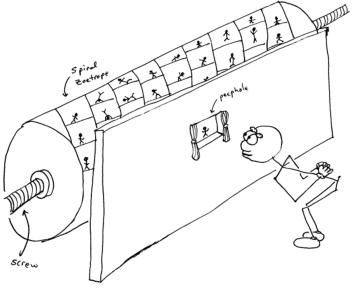
Zoetropes are usually small, periodic, and passive — a single looping motion with no viewer agency. I wanted to expand what stories could be told in the format by building bigger, making scenes modular, putting the strobe in the viewer's hands, and eventually using light as an input for sound.
Long-term, I'd like to produce full short 3D films in the form of a giant spiral zoetrope — a large undertaking with extreme space, material, and engineering constraints. The bike-wheel Audiotrope is a first step in that direction.
The bike-wheel Audiotrope grew out of many earlier builds:

A laser-cut wooden plate on a lazy susan bearing, 16 3D-printed backflip frames, and a photointerrupter IR sensor triggering an LED strobe via Arduino. The wooden spokes mechanically broke the IR beam once per frame, flashing the light in sync with the spin.

Constant-speed spinning from a record player with timed strobe code, plus a bouncing ball animation using squash and stretch. Because the record player handled rotation, I could no longer use mechanical spokes — instead the Arduino timed the strobing to the turntable's fastest setting.

A larger backflip zoetrope using invisible support structures so the character appears to float mid-air. Without time to build a motor drive, I captured it stop-motion style — rotating the wheel 1/16 turn by hand between exposures.

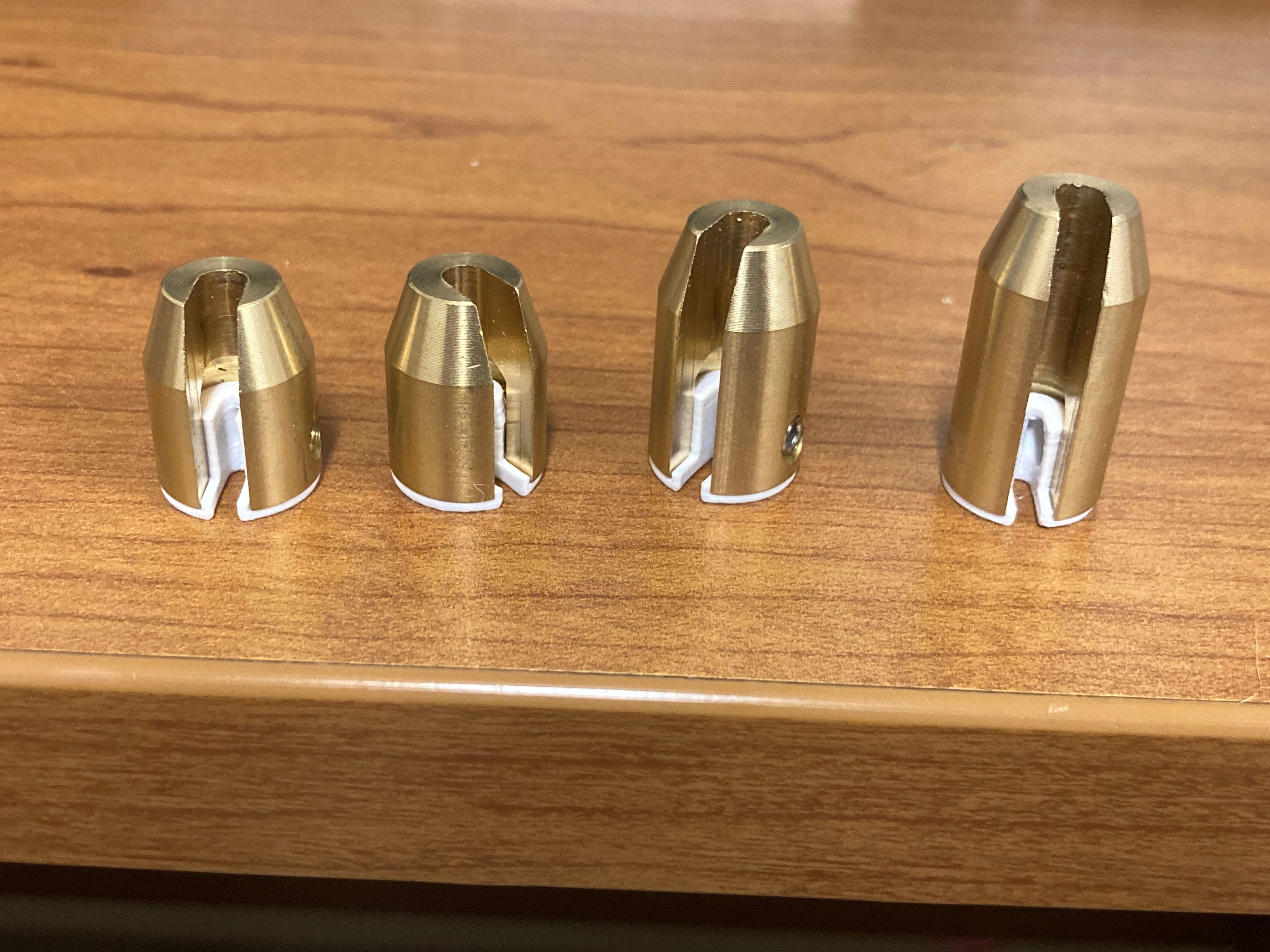
Each of the 16 frames is a full 3D scene in a box, clipped to the bike wheel with magnets. Scenes swap in and out for rapid prototyping — the same principle I explored with the Microtrope. Laser-cut boxes with pressure-fit tabs replaced heavy 3D-printed frustums for faster iteration.

The Audiotrope sits in an aluminum extrusion cage. A Nema 23 stepper motor drives the bike wheel through a chain and sprocket. An inductive proximity sensor on each frame bolt triggers the strobe flashlight and camera. Spoke weights counterbalance the heavy scene boxes.
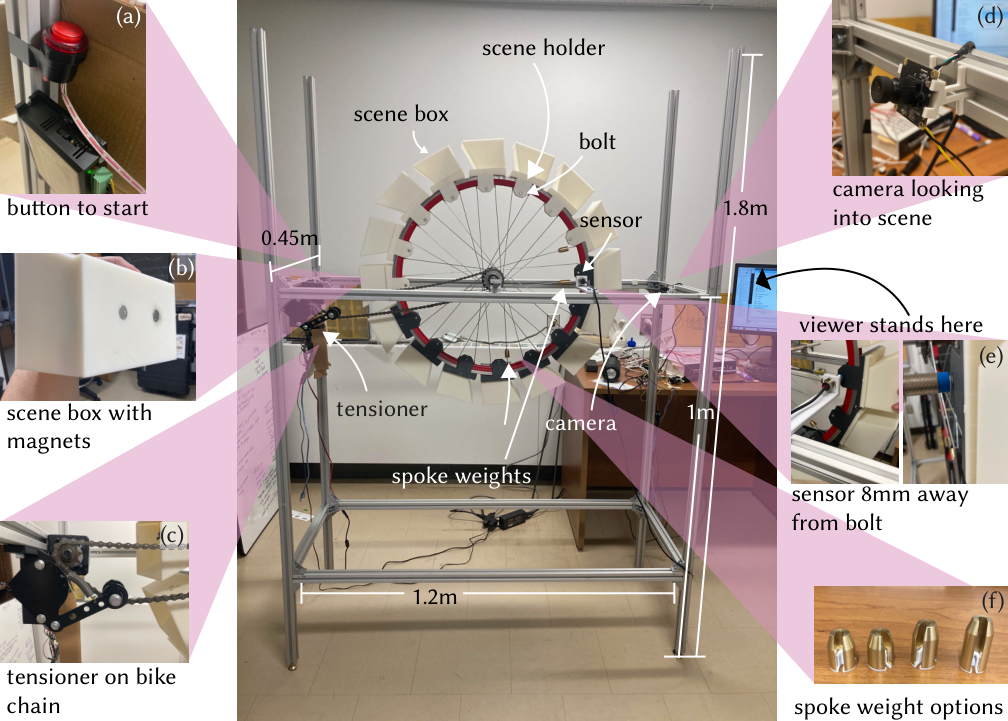

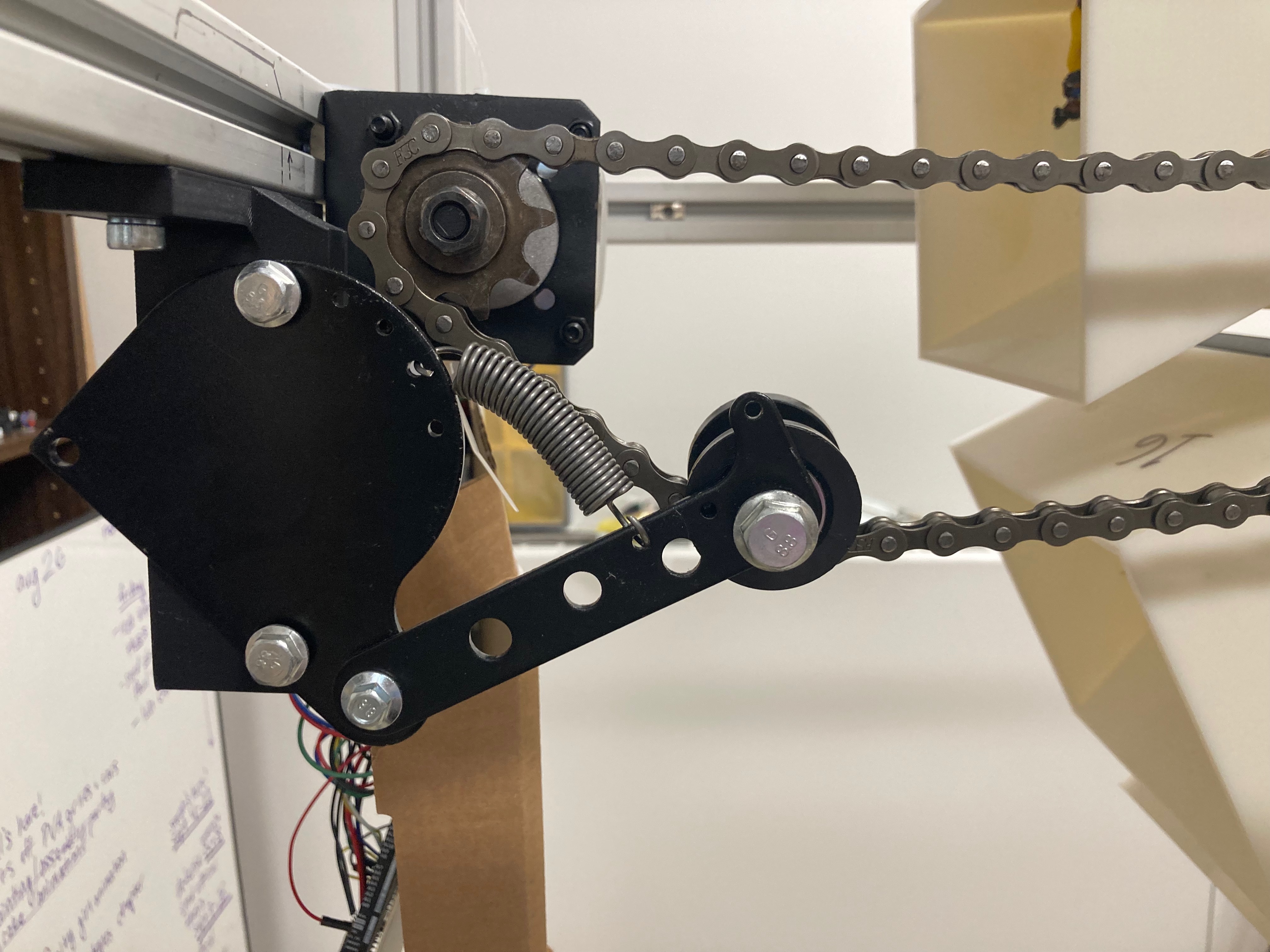
The stepper motor spins at microstepped precision so the wheel holds a steady 8 fps. Motorcycle spoke weights slide along each spoke for fine-grained balancing — the wheel with all scene boxes clipped in can be very heavy and unevenly loaded. A spring-loaded chain tensioner keeps rotation smooth.
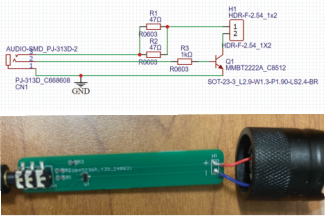
To strobe the light, I designed a small PCB that replaces the driver board inside a store-bought Pocketman flashlight. The flash lasts only microseconds to reduce motion blur — short enough that the Arduino's digital write was too slow, so I used a faster GPIO library. The viewer holds this flashlight and chooses where to shine it each revolution.

Black fabric surrounds the structure so ambient light doesn't wash out the strobe. The entire mechanism can be exposed by lifting the curtain — a chance to show how the animation device actually works.


Beyond viewer-controlled strobe, the Audiotrope detects where in the scene the viewer is shining the flashlight and plays audio tied to those objects — what I call Action Objects. Shine the light on the pancake and hear it sizzle; shine it on the falling girl and hear her yell.
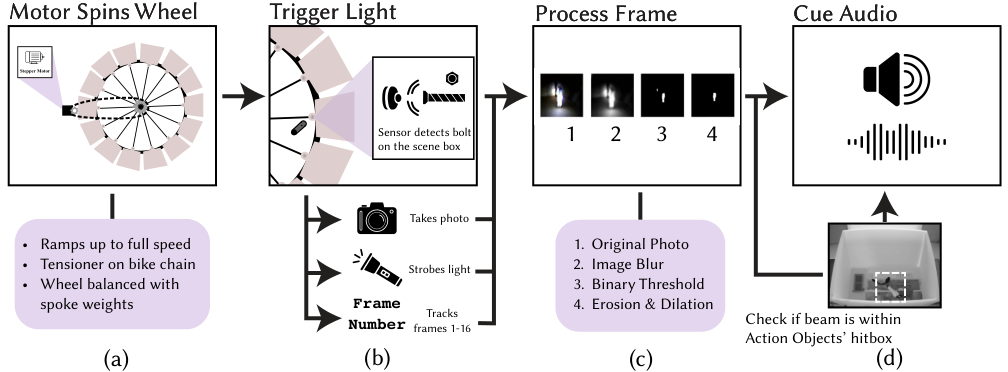
The system needs two pieces of information: which of the 16 frames is currently visible, and where in that frame the flashlight beam lands. An Arduino Uno tracks frame number via the proximity sensor; a USB camera captures each strobe-synced image and sends it to a Raspberry Pi running OpenCV.
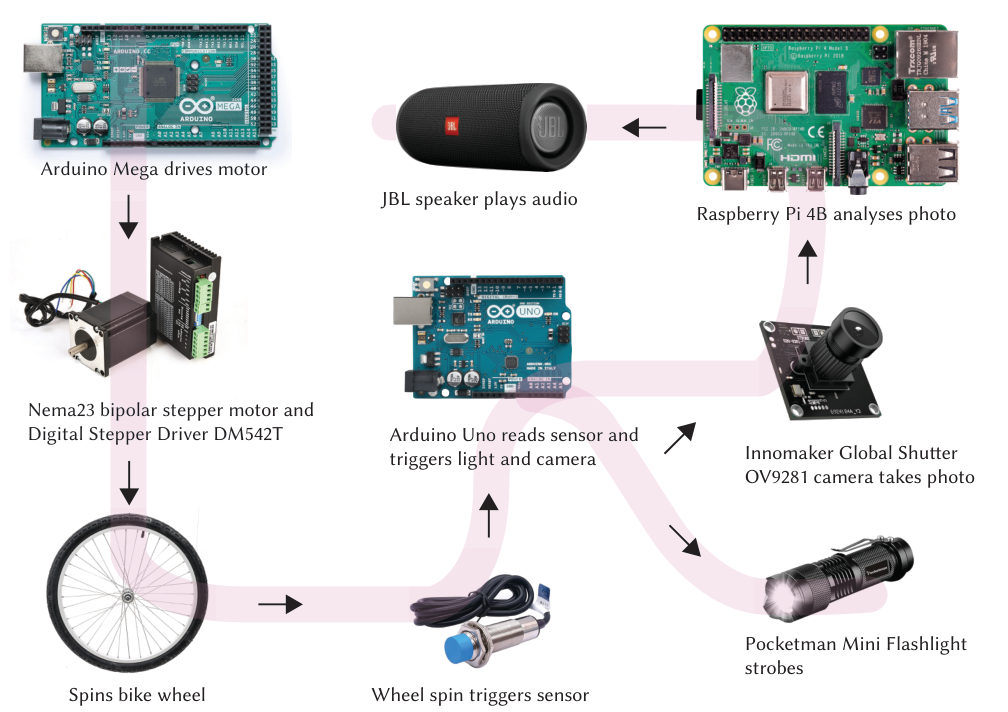
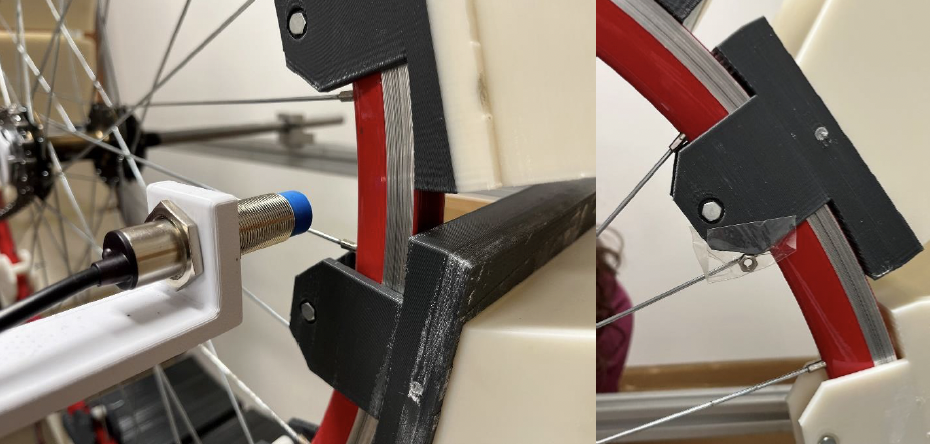
Each scene holder has a metal bolt detected by the proximity sensor. Only the last frame has an extra nut — a shorter elapsed time between detections resets the frame counter from 16 back to 1. The current frame number is sent serially to the Raspberry Pi over USB.
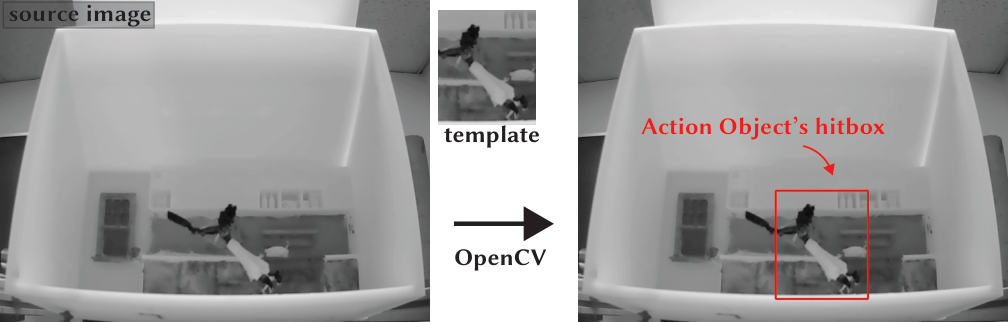
When the sensor detects a bolt, the strobe flashes for ~500 microseconds and the camera captures an image. On the Raspberry Pi, Gaussian blur, thresholding, erosion, and dilation isolate the flashlight beam. If the beam falls inside an Action Object's hitbox for the current frame, audio plays.
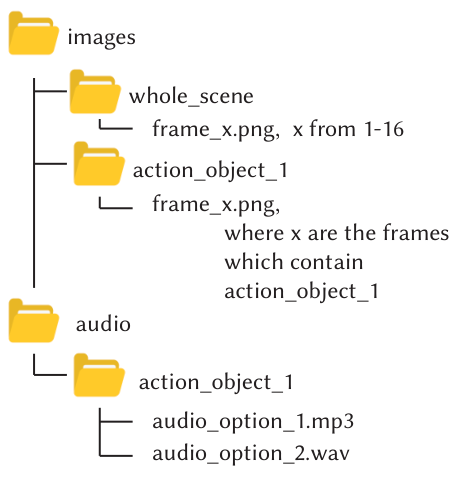
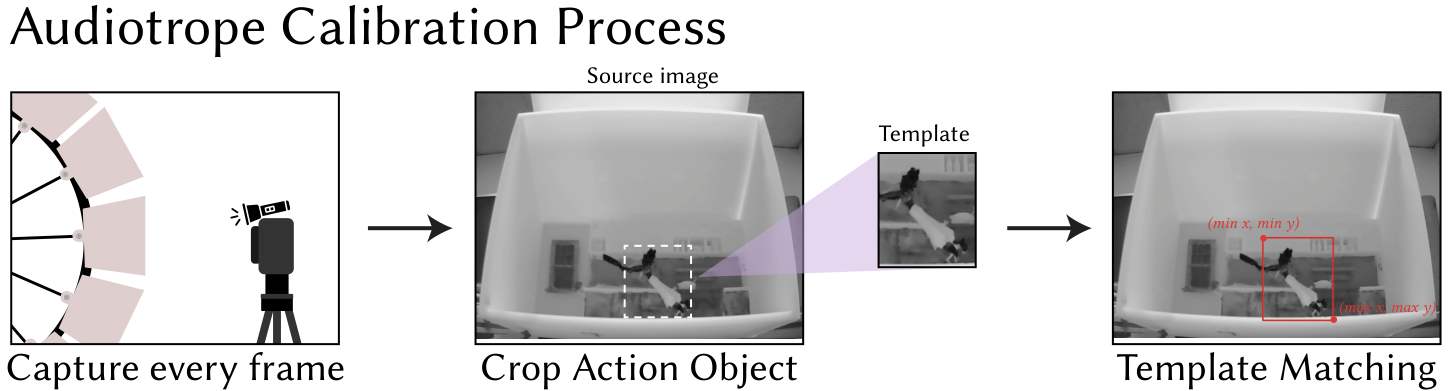
Before playing an animation, the artist calibrates Action Objects using OpenCV template matching. For each object in each frame, a cropped template image is matched against the full scene image to find hitbox coordinates. Audio files are associated with each object through a structured directory layout and saved as JSON for the Raspberry Pi to load at runtime.
Turn off the room lights, press the big red start button, and launch the Python script on the Raspberry Pi. The viewer holds the flashlight and explores the scene — audio fades in and out as they shift focus between objects, using PyGame mixer channels so clips can pause and resume without abrupt cuts.
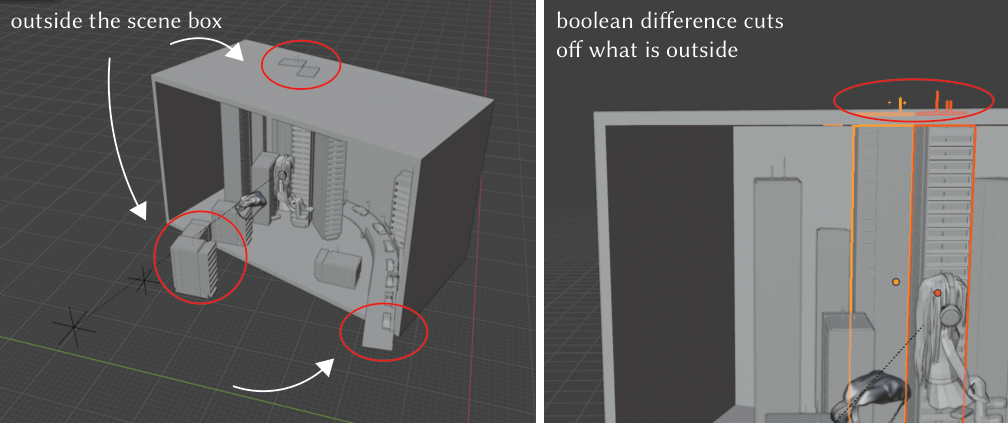
Animations are authored in Blender at 30 fps, then regularly sampled down to 16 frames (~8 fps on the wheel). Scene boxes are 9 × 16 cm; geometry outside the box is clipped with boolean operations before printing. Models from online libraries often need Blender modifiers — Solidify, Decimate, Remesh — to become printable.
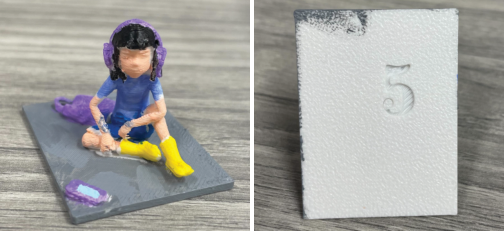
A Python script in Blender carves frame numbers into the bottom of each print so assembly stays organized across dozens of parts. Each scene is split into smaller prints to speed up fabrication, then magnets are glued into the back of each box (mind the polarity!) before clipping to the wheel.
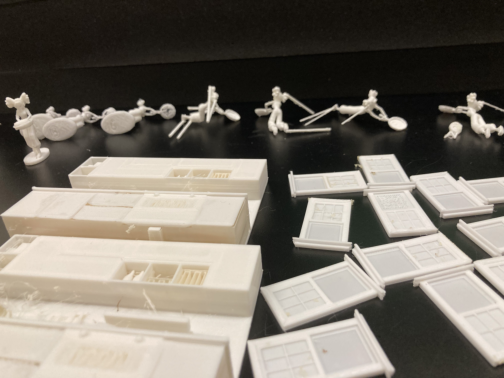


Painted scenes improve contrast under the strobe — important when the viewer is searching for small Action Objects with the flashlight beam.
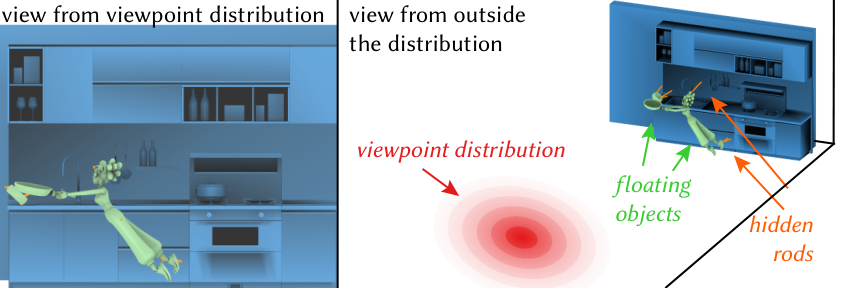
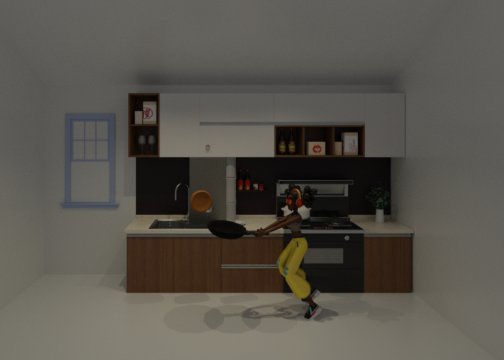
A girl flips a pancake too high and has to jump after it. She misses and lands on the floor. Three Action Objects drive the audio: the pancake (sizzling), the girl while falling ("Noooo, my pancake'""), and the girl on landing (thud). Hidden support rods hold the girl and pancake invisibly mid-air — generated using the method from my Eurographics hidden supports paper.
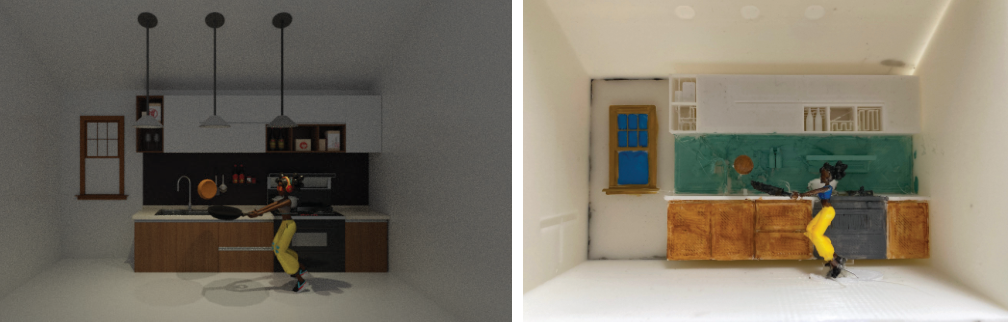


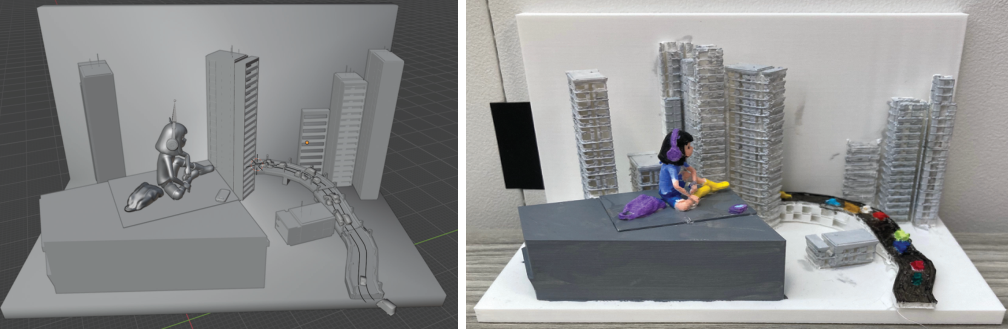
A girl sits on a rooftop bobbing to music, phone ringing beside her. Buildings in the distance hold different people — parents arguing, someone watching sports, animals playing poker. The visuals stay the same; different audio tracks tell happy or sad versions of the story. Focus on the girl to hear her music or inner thoughts; focus on her phone to hear it ring; focus on buildings to overhear conversations inside.
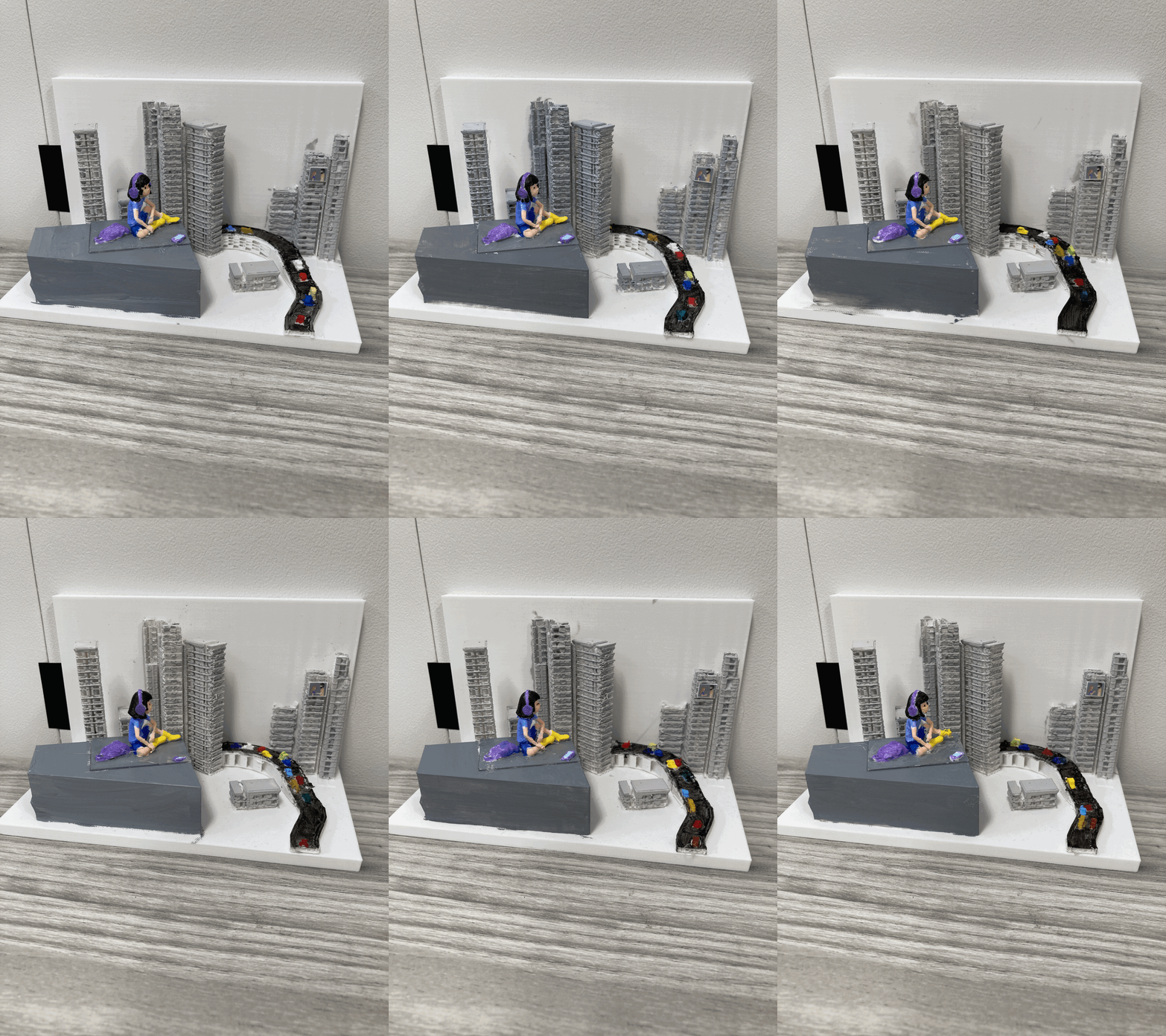
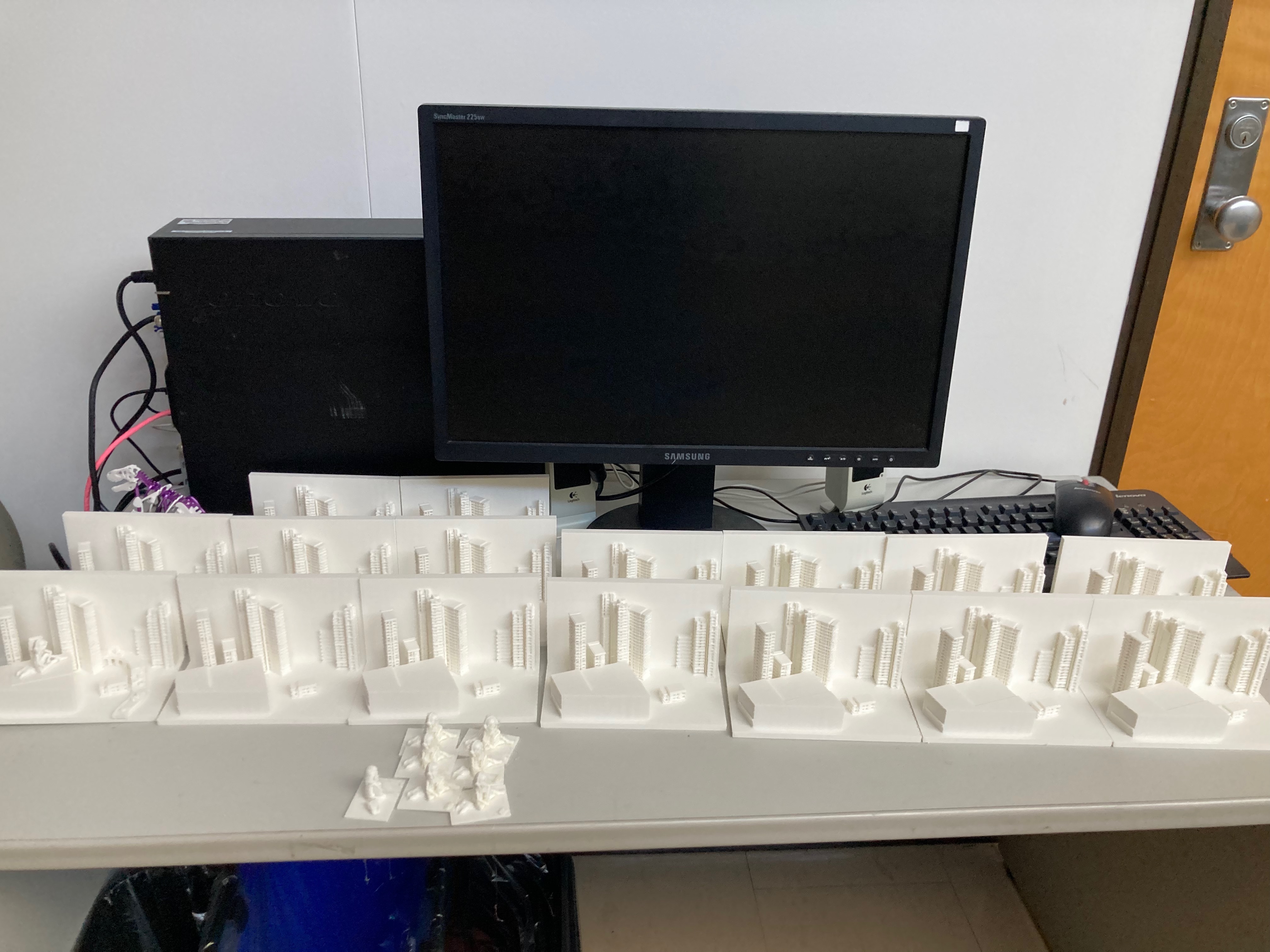
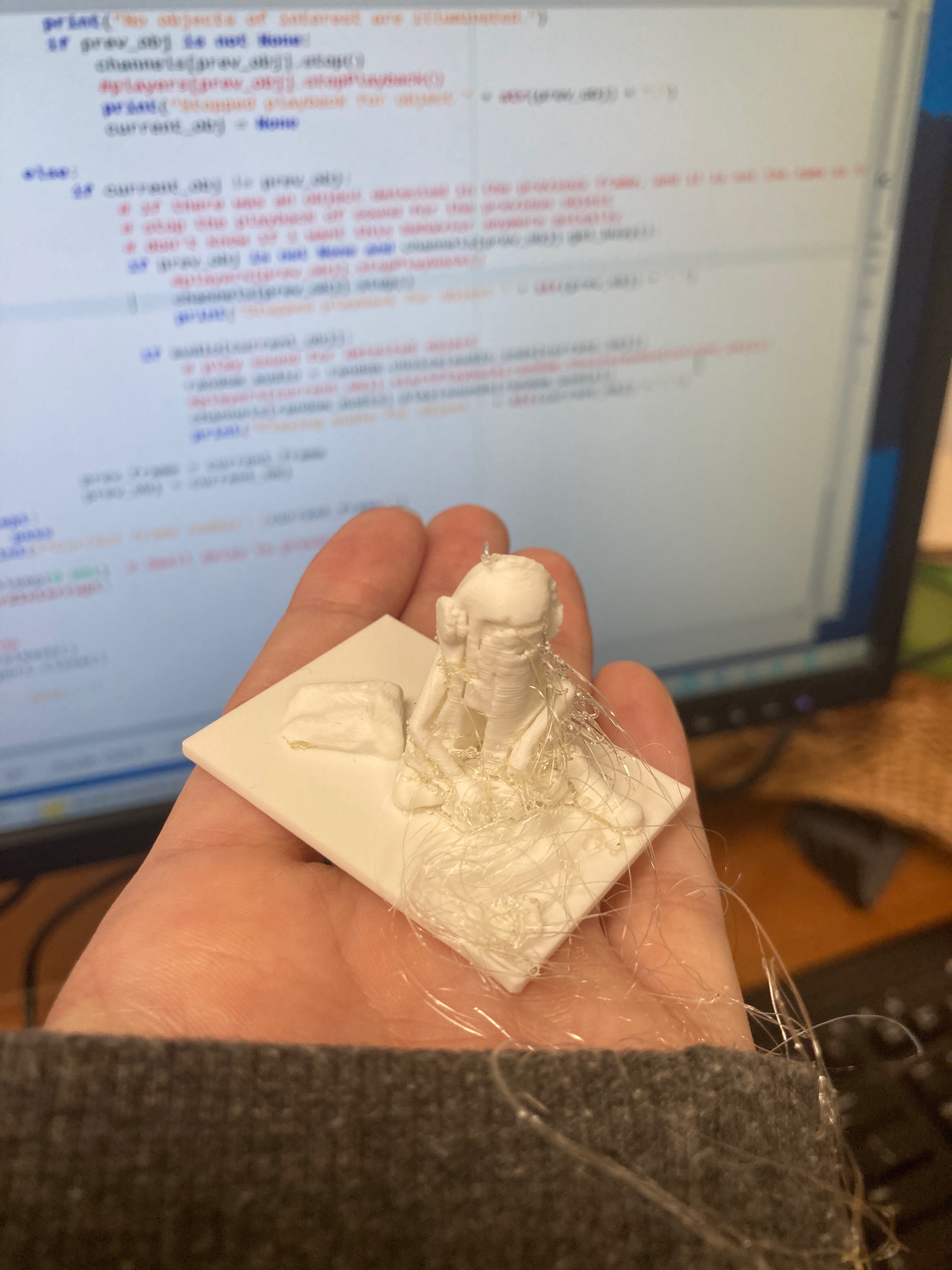
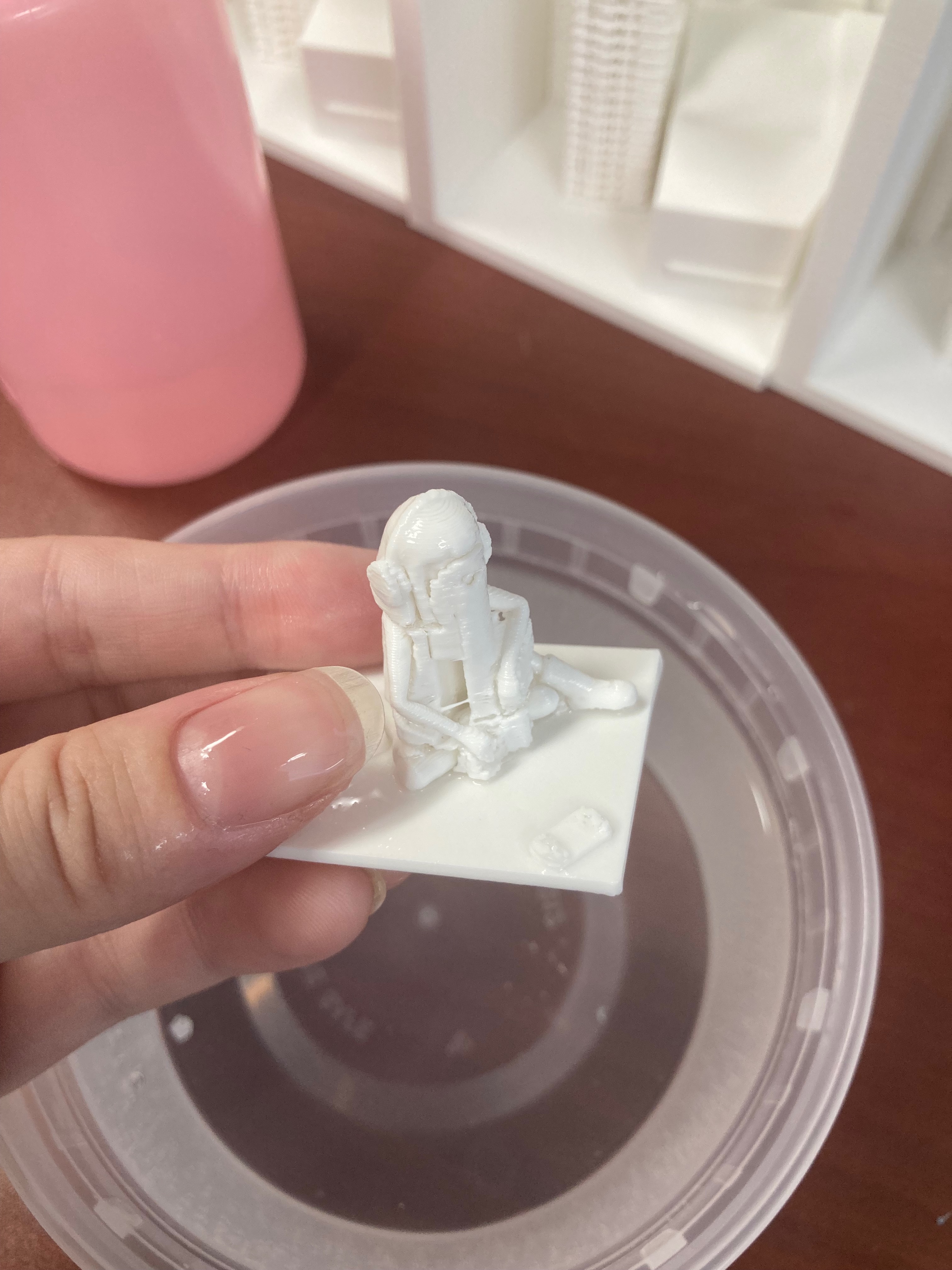
Detailed city buildings required dissolving PVA support material in a bath before the figures could be painted and assembled into scene boxes.
A boy sits in his bedroom — seemingly ordinary. But when the viewer narrows the flashlight beam and looks closely, hidden animals and a monster under the bed are revealed. This uses frame-set switching: odd frames show the empty room; even frames contain the hidden creatures. A wide beam strobes odd frames only; a focused beam switches to even frames, revealing what was hidden in the dark.

Zoetropes are an in-person experience, but conferences want proof they work. I synced a programmable uEye camera's shutter to the strobe flash via an 8-pin connector on the Arduino, capturing one clean frame per revolution — much easier than extracting frames from high-speed video after the fact.
UIST 2022 Extended Abstract · UIST demo video · ACM DOI · PhD thesis (Ch. 3 — Zoetropes)
